 Accel Safety
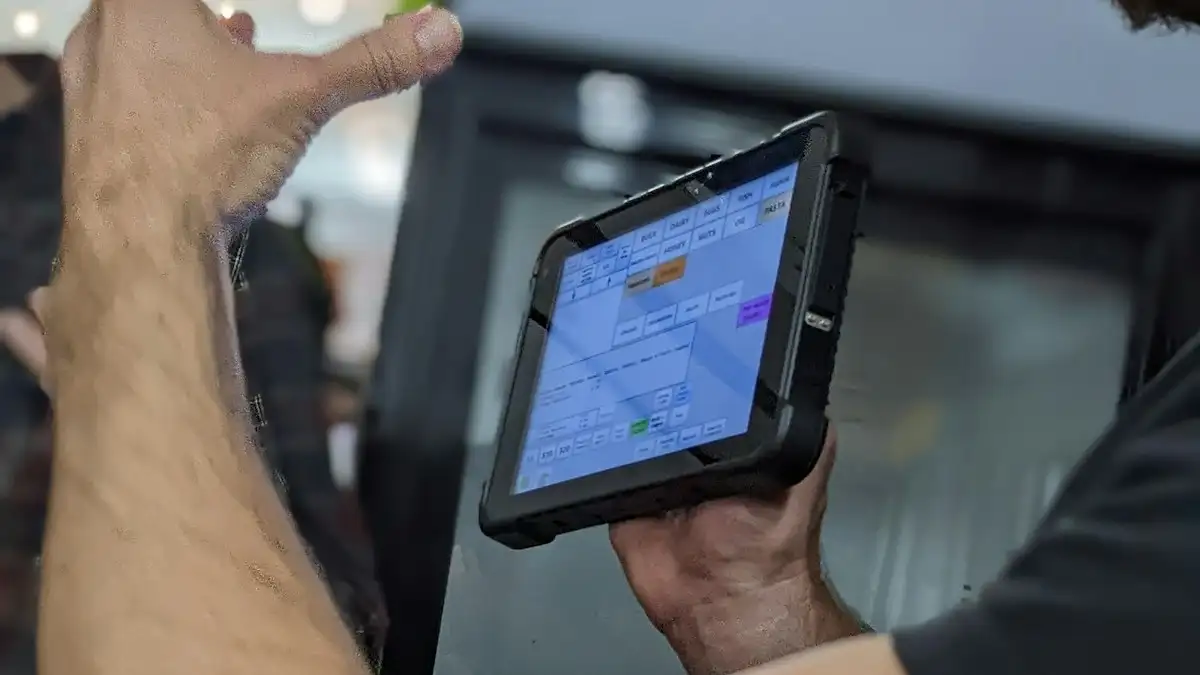
Every factory already has a safety management system of some kind: an incident book, a risk assessment folder, inspection checklists on a clipboard, a training register in a spreadsheet and a list of open actions on someone's desk. Safety management software brings all of those records into one system, so people can report from where the work happens, every report ends in an action, and managers see numbers they can trust.
The stakes are high. The International Labour Organization (ILO) estimated in November 2023 that nearly three million workers die every year from work-related accidents and diseases, including about 330,000 deaths from work accidents, and that 395 million workers suffer non-fatal work injuries. Software does not prevent a single injury on its own. What it can do is make the routines that prevent injuries, such as reporting, investigation, inspection, training and follow-up, faster, more consistent and visible.
What safety management software is
Safety management software (also called safety software, workplace safety software, HSE or EHS software) is a system for running an organization's occupational health and safety work day to day. It records hazards, near misses and incidents, holds risk assessments and controls, runs inspections and audits, assigns corrective actions, tracks training and competence, and reports the results as KPIs.
The definition is easiest to understand next to the frameworks safety professionals already use:
- ISO 45001:2018 is the international standard for occupational health and safety management systems. ISO describes it as built on a Plan-Do-Check-Act model and designed to integrate with other ISO management system standards such as ISO 9001 and ISO 14001.
- OSHA's Recommended Practices for Safety and Health Programs are organized around seven core elements: management leadership; worker participation; hazard identification and assessment; hazard prevention and control; education and training; program evaluation and improvement; and communication and coordination for host employers, contractors and staffing agencies.
- HSE's HSG65, Managing for health and safety (revised 2013), explains the Plan, Do, Check, Act approach as a way to balance the systems and the behavioural sides of managing safety.
Good safety software gives each of those elements a home: a place where the work is recorded, assigned, checked and improved.
Why paper and spreadsheets stop working
Paper and spreadsheets work for a small site with one safety officer. They start to fail as soon as the volume of records, people or sites grows:
- Reporting is slow, so people stop reporting. A near miss that needs a form, a walk to the office and a signature often goes unreported. A phone with a camera at the point of work removes most of that effort.
- Actions get lost. Findings from inspections, audits and investigations sit in different files. Nobody sees which actions are overdue until the next audit.
- Numbers cannot be checked. Monthly KPIs are typed into a summary sheet. When a director asks which injuries are behind a figure, someone has to search folders.
- Versions drift. Each site edits its own copy of the risk matrix, the forms and the checklists, so results cannot be compared.
- Evidence is hard to find. Before an ISO audit or a buyer visit, teams spend days pulling training records, inspection reports and closed actions together.
Core modules
Vendors package things differently, but most safety management software is built from the same building blocks:
| Module | What it records | Why it matters |
|---|---|---|
| Incidents and investigation | What happened, people involved, photos, root cause, lessons learned | OSHA advises that the purpose of an investigation is always to identify root causes, so similar incidents are prevented |
| Hazards and near misses | Unsafe acts and conditions reported by anyone | Early warnings, before anyone is hurt |
| Risk assessment | Hazards, risk ratings, controls and reviews | One method and one matrix everywhere |
| Audits and inspections | Checklists with photos, findings, scores | Regular inspection of operations and equipment, with findings documented |
| Actions and CAPA | Owner, due date, status, check of effectiveness | Turns every finding into a fix that closes |
| Training and competence | Who is trained in what, and when it expires | Education and training is a core programme element |
| Contractors and visitors | Who is on site, inductions, permits | Coordination between host employers and contractors |
| Emergency preparedness | Teams, drills, first-aid checks | Proof that people know what to do |
| Legal register | Applicable laws, policies and compliance status | Shows obligations are known and met |
| Dashboards and KPIs | Lost days, near misses, recordable injuries, training hours | Leading and lagging indicators in one view |
For a deeper look at the reporting side, see our guide to incident and near-miss reporting software.
How it maps to Plan-Do-Check-Act
- Plan: hazard identification, risk assessment, legal register, objectives and training needs.
- Do: controls in daily work, training, permits, contractor and visitor control, emergency drills.
- Check: inspections, audits, incident investigation and KPI dashboards.
- Act: corrective actions, lessons learned shared across sites, and management review.
When the software is organized this way, the evidence for each step builds up as people do their normal work, instead of being assembled the week before an audit.
Who uses it, and for what
- Workers and supervisors report hazards, near misses and incidents, and complete inspection checklists, usually from a phone.
- Site HSE officers investigate, assign actions, run training and keep the site's registers current.
- Plant and operations heads watch overdue actions and site KPIs.
- Group or regional HSE directors compare sites, spot trends and report to the board.
- Sustainability, compliance and internal audit teams pull evidence for certification, ESG reporting and buyer audits.
Single site vs multi-site groups
For one site, the main gains are speed of reporting and actions that close. For a multinational or a large industrial group, the harder problems are structural:
- One hierarchy. The system should mirror the organization, from group to region, country and site, so results roll up without retyping.
- One set of definitions. The same incident categories, risk matrix and KPI formulas at every site, or the group totals mean nothing. Our guide to standardizing HSE reporting across countries covers this.
- Scoped access. A site manager sees their site; a country head sees the country; the group sees everything.
- Local flexibility. Sites still need local language, local legal requirements and local checklists inside the common frame.
That is the difference between generic safety software and enterprise HSE software built for groups.
Data, access and audit trail
Safety records contain personal data: names of injured people, witness statements, medical notes and training histories. In the EU and UK, Article 32 of the GDPR requires appropriate technical and organizational measures to secure personal data, taking into account the risks involved. Practical questions to ask any vendor:
- Is access limited to each user's part of the organization, and is that enforced on the server?
- Is two-step verification available?
- Is every change recorded in an audit trail, so you can see who changed a record and when?
- Can every dashboard figure be traced back to the records behind it?
How to judge safety software
Feature lists look alike. These tests separate systems that work on the floor from those that only look good in a demo:
- The one-minute test. Can a supervisor report a near miss with a photo from a phone in about a minute?
- The closure test. Follow one finding from report to verified fix. Is there an owner, a due date and a check that it worked?
- The drill-down test. Click a KPI. Do you reach the actual records behind it?
- The structure test. Can the system mirror your real organization, and limit who sees what?
- The history test. How do your existing records get in, and how long until people work in the system?
Our EHS software RFP checklist turns these into questions for vendors.
10-point checklist
- Reporting from phones, with photos, at the point of work.
- Incidents investigated to root cause, with lessons learned shared.
- Hazards and near misses captured by anyone, not only HSE staff.
- One risk assessment method and matrix across sites.
- Inspection and audit checklists with findings turned into actions.
- Every action with an owner, a due date and an effectiveness check.
- Training records linked to roles, with expiry dates.
- Contractor, visitor and emergency records in the same system.
- Dashboards that drill back to source records.
- Scoped access, two-step verification and a full audit trail.
Frequently asked questions
What is safety management software?
Safety management software is a system for running occupational health and safety work day to day: reporting hazards, near misses and incidents, investigating them, assessing risks, running inspections and audits, assigning corrective actions, tracking training and reporting KPIs, all in one place.
Is safety software the same as EHS or HSE software?
The terms overlap. Safety software usually means the occupational health and safety part. EHS or HSE software adds environmental records such as energy, water, waste, emissions and chemicals. Many systems, AccelSafety included, cover both.
Does ISO 45001 require safety software?
No. ISO 45001 does not require any particular tool. Paper, electronic or mixed records can all meet it if they are controlled. Software helps most when you have many records, many people and many sites.
Who needs safety management software?
Any organization where paper and spreadsheets slow down reporting, lose actions or make KPIs hard to check. The gains are largest for factories with many workers and for groups with several sites or countries, where results need to roll up without retyping.
What should a safety software demo show?
Ask the vendor to report a near miss from a phone, follow one finding through to a verified fix, drill from a KPI down to its source records, and show how access is limited by site. Then ask how your existing records are migrated and how long go-live takes.
How AccelSafety helps
AccelSafety is safety software for factories and multi-site groups. It covers incidents and investigation, hazards and near misses, risk assessment, actions and CAPA, audits and inspections with photos, training and competence, visitor control, emergency response, the safety committee and a legal register, plus sustainability records. Every site sits in one hierarchy, from group to region, country, cluster and site; access is scoped to each user's part of it and enforced on the server, with two-step verification and a full audit trail, and every dashboard figure drills back to its source record.
Your team works in the system from the day after installation, your last two years of files are migrated within 7 days, guaranteed, and users are unlimited. Accel looks after migration, hosting with backups, updates, training and support. Book a free demo to see it with a structure like yours.
Sources
- ILO: Nearly 3 million people die of work-related accidents and diseases (26 Nov 2023)
- ISO: ISO 45001 is now published (PDCA model, integration with other standards)
- OSHA: Safety Management, resources by core element (Recommended Practices)
- OSHA: Safety Management, hazard identification and assessment
- HSE: Managing for health and safety (HSG65)
- GDPR Article 32, security of processing (legislation.gov.uk)